

I’ve been planning my summer RV trip across the western US for months now, and honestly, the thing that keeps me up at night isn’t the route or the campground reservations. It’s internet. Specifically, reliable internet. I’m about to spend 3-4 months living in my rig, and I need to stay connected for work, navigation, and just not losing my mind scrolling through Instagram at night. After tons of research and some honest conversations with full-timers who’ve been doing this for years, here’s what I learned about Starlink for RV living in 2026.
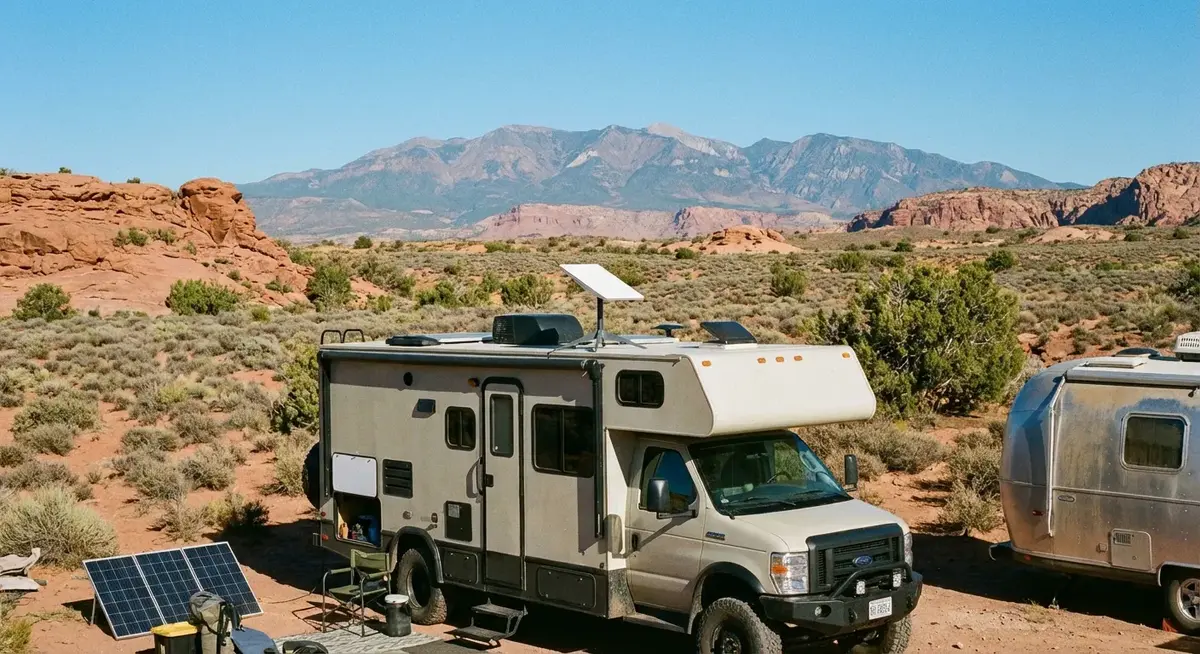
Ready to order? Order Starlink here to get started. The Roam plan is what I recommend for RV living, and you can pause it in the app during the months you are parked.
Disclosure: that is my referral link. If you sign up through it, Starlink pays me a referral bonus at no extra cost to you. It helps keep this site running.
Why Starlink Beats Cellular for Full-Time RV Living
Let me be direct: cellular data plans just don’t cut it for full-time RV living. I tried to make it work with my phone’s unlimited plan plus a hotspot, and honestly? It was painful. AT&T and T-Mobile coverage maps look great until you’re in the middle of nowhere Utah and you’ve got one bar of 3G. Even in populated areas, campground WiFi is usually so congested that you might as well be trying to download files through a straw.
Starlink fixed that problem. It works everywhere there’s a clear view of the sky, and that’s most of the US. The speeds have come a long way since the early days. I’m seeing users report 50-150 Mbps down with latency in the 20-50ms range. That’s not just good enough for email and Zoom calls. It’s good enough for 4K streaming, large file uploads, and running a business while parked in the desert.
The key difference from cellular: Starlink gives you a dedicated connection that doesn’t share bandwidth with everyone else’s phones at the RV park. You’re hitting satellites directly, not bouncing through cell towers that might be 20 miles away.
Starlink Plans for RVs: Which One Do You Need?
Here’s the breakdown of Starlink’s current offerings as of early 2026:
Starlink Roam (Best for RVers)
This is the one you want. Formerly called “Starlink RV,” Roam lets you use your dish anywhere Starlink is licensed, including international travel. There are two tiers:
Roam 50GB ($50/month): The budget option. You get 50GB of data per month, with overages at $1/GB. This works for light users who mostly need email, web browsing, and the occasional video call. If you’re streaming Netflix every night, you’ll blow through 50GB fast. But for a weekend warrior or someone who pairs this with campground WiFi for heavy downloads, it’s a solid deal.
Roam Unlimited ($165/month): No data cap. This is what most full-timers go with. You get unlimited data with speeds up to 260 Mbps, in-motion support up to 100 MPH, and international roaming included. Data gets deprioritized during congestion, but in practice most RVers aren’t parked in downtown Manhattan. One thing to watch: Starlink added “per trip” language requiring you to return to your home country every 2 months to keep service active.
Both plans now include in-motion use (previously capped at 10 MPH) and coastal waters up to 12 nautical miles from shore.
Starlink Residential ($50-$120/month)
Starlink recently split residential into tiers. The cheapest is $50/month for 100 Mbps, $80/month for 200 Mbps, and $120/month for MAX (up to 400 Mbps). These are for a fixed address only. If you try to use a residential plan while traveling, you’ll get usage alerts and eventual service interruption. Skip these for RV use.
Starlink Priority (Business)
Priority plans start at $65/month for 50GB and go up to $2,150/month for 2TB of global priority data. For most RVers, this is massive overkill. The only exception: if you need guaranteed speeds for a remote business and can’t tolerate any deprioritization, the 500GB plan at $165/month is comparable to Roam Unlimited but with priority network access.
My pick: Roam Unlimited at $165/month. The 50GB plan is tempting but too easy to burn through if you’re living out of your rig full-time.
Hardware Options: Which Dish Should You Get?
Here’s where things get interesting. Starlink has a few hardware options, and picking the right one matters for RV use:
Standard Dish ($349)

This is the classic rectangular dish that most people picture when they think Starlink. It auto-orientates to find satellites, sets up in about 5 minutes, and works well in most scenarios. The trade-off is size: it needs some space to operate and has to stay in one place while in use. For RVers who park and then stay put for days or weeks, this is the most popular choice.
The standard dish handles moderate wind fine but can struggle in harsh conditions. Most users mount it on a tripod or the RV roof using a Starlink tripod mount or a Starlink RV ladder mount.
Mini Dish ($199-$299)

The Mini has become the sleeper hit for RVers. It’s about the size of a laptop, weighs roughly 2.5 pounds, and has built-in WiFi 6. Starlink dropped the price from $599 at launch to as low as $199 when you sign up for a Roam plan. That’s less than the standard dish.
The trade-off is slightly less performance in marginal signal areas and a smaller field of view. But the portability is hard to beat. For truck campers, van lifers, and anyone where space and weight matter, this is the one to get. Power draw is noticeably lower too, which matters if you’re running off a portable power station or solar setup.
Flat High Performance Dish ($1,999)
This is the upgraded dish designed for vehicles in motion and harsh environments. It’s completely flat, mounts flush to a roof, and handles higher speeds plus more extreme conditions. The antenna array is more sensitive, which means better performance in areas with partial obstruction (like forests with tall trees around your site).
For full-time RVers who travel frequently and want always-on connectivity without stowing the dish, this is worth the premium. Most Class A and Class C motorhome owners with permanent installations go with this option. The rest of us? The Mini or standard dish is fine.
My pick: The Mini at $199 is honestly the best deal right now for RV use. It’s cheaper than the standard dish, lighter, and uses less power. I’ll toss it on a tripod when I park and throw it in a drawer when I drive.
Setting Up Starlink on Your RV
Setup is pretty straightforward. Here’s what works well:
- Power it up – The dish comes with a WiFi router built in. Plug it into your RV’s 120V outlet or directly into an inverter.
- Download the app – The Starlink app walks you through alignment. It shows you if the sky view is clear enough.
- Wait for acquisition – Usually takes 5-10 minutes to find satellites and connect first time.
- Mount it – I use a portable tripod mount for easy setup and breakdown. For permanent installations, a stainless steel RV ladder mount works great.
Pro tip: Get a longer Starlink cable (available on Amazon) so you can place the dish in the best sky view rather than wherever the cable happens to reach.
Router Options: Why You Might Want Your Own
The Starlink router that comes in the box works fine for basic use. But for RV living, you’ll probably want more control. Separate guest networks for work and personal devices, VPN passthrough for remote jobs, and better WiFi coverage if you’ve got a larger rig where the built-in router can’t quite reach.
The GL-X750 (Spitz) is a popular choice among RVers because it accepts Starlink’s Ethernet adapter and lets you run your own firmware, including ad-blocking with Pi-hole on a Raspberry Pi 5. I reviewed the GL-X750 for RV travel and it pairs well with Starlink as a secondary WAN. Check out our RV accessories guide for more router options.
How Much Power Does Starlink Draw?
This is a common question from people on solar or limited battery setups. The standard dish and router combined draw 50-75 watts during operation, with brief spikes up to 100 watts when first acquiring satellites. That’s about 1.5-2 kWh per day of continuous use. The Mini draws less, roughly 30-50 watts, which is another reason it’s become the go-to for RVers on solar.
For context, a decent portable power station like the EcoFlow DELTA 2 Max (2,048 Wh) could run Starlink for about a week without solar. Pair it with some solar panels and you could theoretically run indefinitely.
If you’re monitoring your RV’s systems with smart sensors, you’ll be checking battery voltage anyway. Starlink’s power draw is negligible compared to your fridge, lights, and other essentials.
Frequently Asked Questions
Can I use Starlink while driving?
It depends on the dish. The standard dish and Mini are designed for stationary use only. You need to park and set up before connecting. All Roam plans now officially support in-motion use up to 100 MPH, but you need the Flat High Performance dish ($1,999) for that to actually work. The standard and Mini dishes can’t maintain a satellite lock while moving. For most RVers who park for days or weeks at a time, the Mini or standard dish is fine and you just set it up when you arrive.
Can I pause Starlink service when I’m not traveling?
Yes. Starlink Roam can be paused and unpaused through the app. You pay for the months you use. This is great for seasonal RVers who only travel part of the year. Starlink also offers a $5/month Standby mode that keeps your account active with low-speed connectivity, so you don’t lose your spot.
Does Starlink work in remote areas?
Yes, that’s the whole point. As long as you have a clear view of the sky, Starlink works. Unlike cellular, there’s no dependency on nearby cell towers. This makes it ideal for boondocking in dispersed camping areas on public lands. I’ve talked to full-timers who work from spots 50 miles from the nearest town with no issues.
What’s the data cap on Starlink Roam?
Starlink Roam currently has no hard data caps. However, during periods of network congestion, deprioritization may occur in high-traffic areas during peak hours. For most users, this doesn’t meaningfully impact performance. Heavy users (like those streaming 4K video all day) might notice slower speeds during busy periods, but even then it’s usually usable.
Is Starlink worth it for part-time RVers?
It depends on how much you travel. The Mini is only $199 now, so the hardware cost isn’t the barrier it used to be. But at $165/month for Roam Unlimited, that’s still $1,980 a year. If you only take a few trips per year, the 50GB plan at $50/month (with pause/unpause) might make more sense. Or just use cellular hotspots for short trips. But if you’re planning multiple long trips, full-time living, or work from the road, Roam Unlimited pays for itself in reliability.
Bottom Line
For my 3-4 month summer trip across the US, I’m going with Roam Unlimited at $165/month plus the Mini dish at $199. That’s about $700 total for the summer, which is way cheaper than the headache of spotty cellular and campground WiFi that can’t handle a Zoom call.
Is it perfect? No. You need clear sky, and setup takes a few minutes each time you move. But for reliable high-speed internet anywhere in North America, there’s simply nothing else that comes close for the price.
Now if you’ll excuse me, I need to figure out where I’m actually driving this summer.
Ready to pull the trigger? Order Starlink through my referral link and you will be online at your next campsite in about ten minutes.