
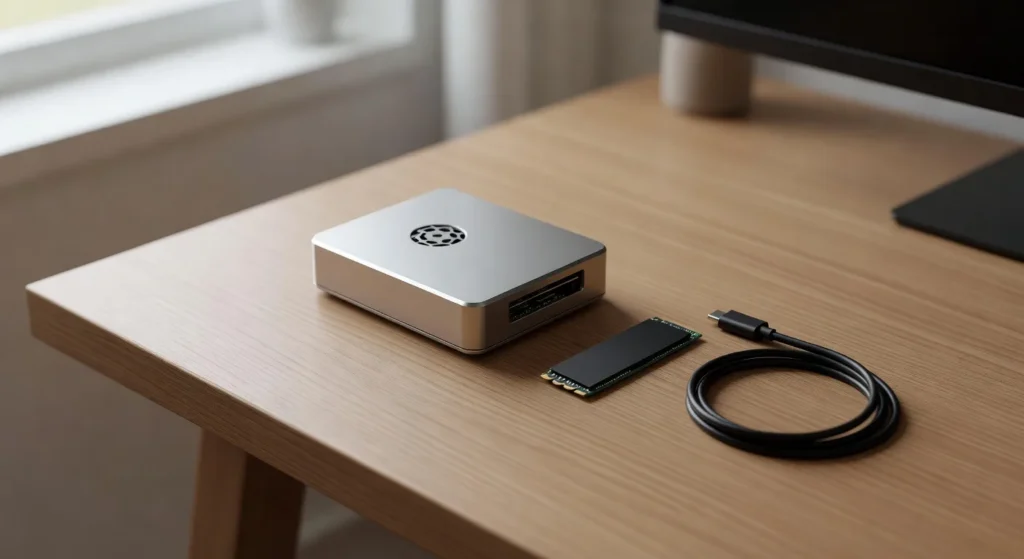
Best Raspberry Pi 5 Cases and Cooling in 2026
The best Raspberry Pi 5 case in 2026 is the Argon ONE V3 M.2 for most builds, because it pairs aluminum passive cooling with an NVMe slot and a quiet fan in one $45 box. For pure 24/7 server use, the Flirc fanless case stays silent and cool. For sustained AI or compile loads, skip cases entirely and run the official Active Cooler on a bare board. Use a passive heatsink case only if your room stays under 75 F.
I’ve been buying Pi cases since the model B+, and the Pi 5 generation finally made me throw out the old “any acrylic shell will do” rule. The BCM2712 pulls real wattage under load. Without active cooling, a bare board thermal throttles inside three minutes on a stress test. So I dug through the most credible thermal data I could find: Jeff Geerling’s 2024 Pi 5 case roundup, the Raspberry Pi Foundation’s own thermal documentation, manufacturer-published thermal specs, and a recent forum thread on the Argon One V3 M.2. Here’s what actually works. If you haven’t picked a project yet, the best Pi 5 projects for beginners post is the better starting point.
How to Read These Recommendations
The Pi 5’s BCM2712 throttles starting around 80°C (soft) and 85°C (hard) per the Raspberry Pi Foundation. “Passes” below means the case keeps a Pi 5 under 70°C on community-reported sustained loads, most commonly stress-ng --cpu 4 --cpu-method matrixprod for 20 minutes (the de-facto Pi case benchmark). Cases flagged as compute-unfriendly are the ones that throttle on those workloads. Source data leans heavily on Jeff Geerling’s 2024 Pi 5 case testing, still the most thorough public benchmark for Pi 5 cases, plus manufacturer thermal claims and forum threads at forums.raspberrypi.com.
The Quick Answer (My 2026 Picks)
- Best all-around: Argon ONE V3 M.2 NVMe Case. Aluminum body, quiet fan, real NVMe slot.
- Best cooler, no case needed: Official Raspberry Pi 5 Active Cooler. $5, ships with most kits, beats every passive option.
- Best silent / fanless: Flirc Raspberry Pi 5 Case. Whole case is the heatsink. Zero noise.
- Best premium (NVMe + RGB + display): SunFounder Pironman 5. Mini PC vibes, $90, polarizing.
- Best budget passive: GeeekPi Aluminum Passive Case. $15. Good enough for Pi-hole and light loads only.
1. Argon ONE V3 M.2 NVMe Case ($45)
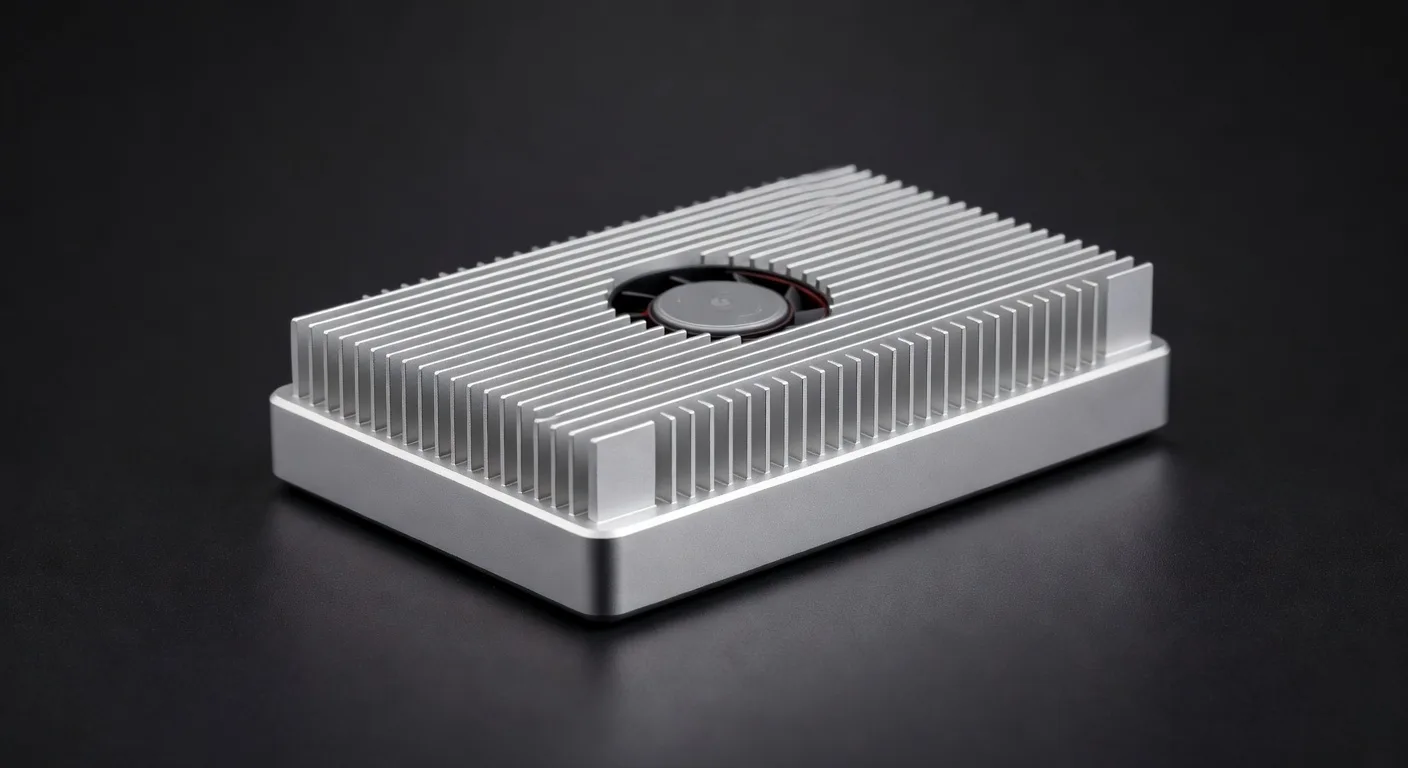
The Argon ONE V3 M.2 is what I recommend to anyone who says “I want one case that does everything.” Aluminum sandwich that wraps the Pi 5 in a heatsink, software-controllable PWM fan, and a bottom-mounted M.2 NVMe slot fed by the PCIe FFC. HDMI ports get re-routed to the back next to USB and Ethernet, so cable management is actually pleasant.
Community thermal reports on this case (the Dec 2025 forums.raspberrypi.com thread is the clearest one) put it comfortably below the 80°C throttle ceiling under sustained 4-core load with the integrated fan. The aluminum chassis doubles as a passive heatsink, and the software-controlled fan stays effectively inaudible at light load. NVMe boot works out of the box once you flip the boot order in raspi-config. The Argon scripts map the case power button to a proper shutdown, which sounds minor until you’ve yanked power on a Pi running a database three times.
The Dec 2025 Pi forums thread complains about fit issues. Real but limited. If you’re using a 2280-length NVMe, double-check the bottom shell screws line up before tightening. Earlier production runs had a slightly offset standoff that bent the FFC cable. Post-Jan 2026 batches fixed it. Pair it with a Pi 5 starter bundle and a 256GB to 1TB NVMe like the Crucial P3 Plus. PCIe gen 2 x1 caps throughput around 450 MB/s, so a $35 1TB drive feels identical to a $150 4TB drive.
Price check: Current price on Amazon. Hovers around $45, dips to $39 during Prime events. If you only buy one case, this is it.
2. Official Raspberry Pi 5 Active Cooler ($5)
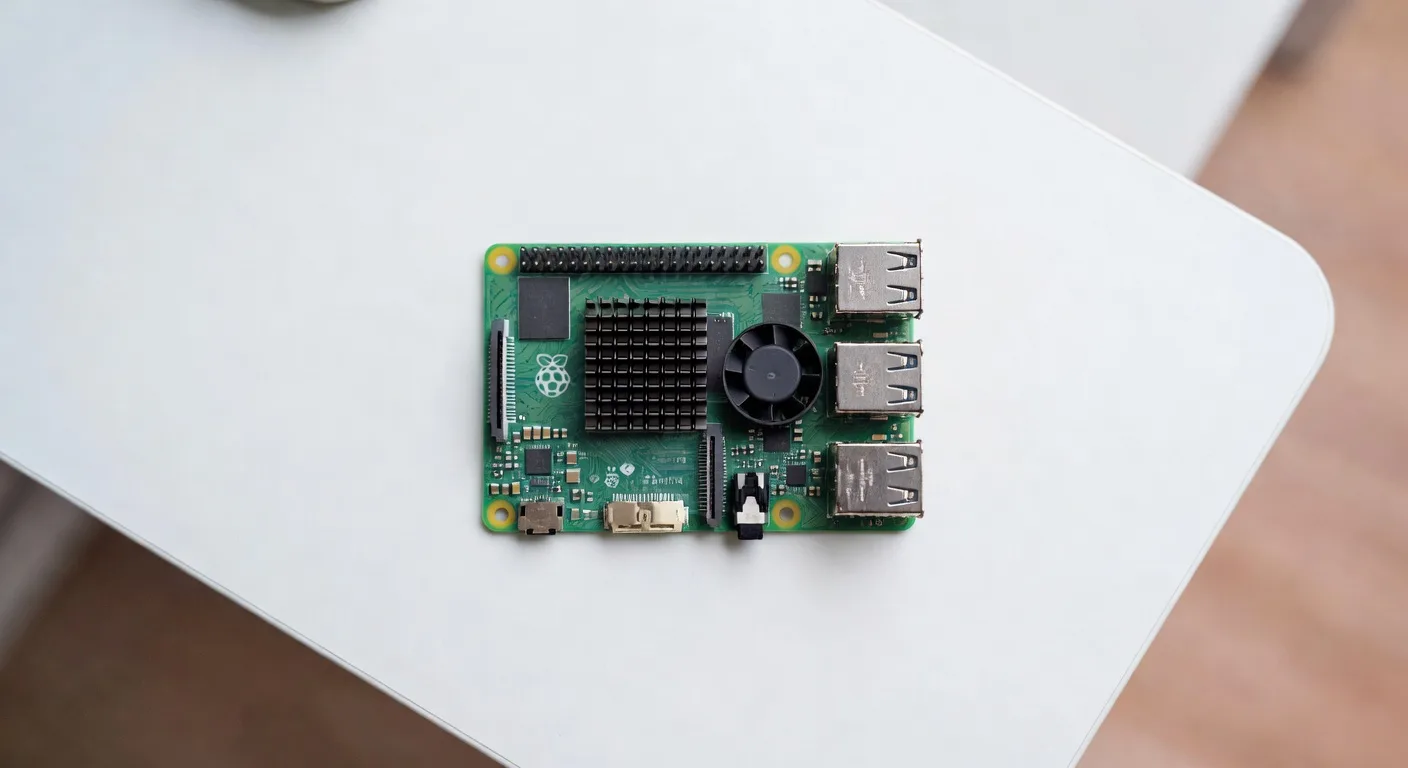
The Official Raspberry Pi 5 Active Cooler is the single best dollar-for-dollar upgrade on this list. Finned aluminum heatsink with a 30mm blower fan, screws into the Pi 5’s mounting holes, plugs into the dedicated 4-pin fan header. PWM is built into firmware, so the fan only spins when the SoC heats up.
The Raspberry Pi Foundation documents the Active Cooler as keeping the Pi 5 below the 80°C throttle threshold under sustained synthetic load, and Jeff Geerling’s case roundup ranked it close to fan-equipped chassis options many times its price. Audible at full ramp but only barely, more whoosh than whine.
The catch is there’s no case. Pi sits exposed on whatever surface, GPIO pins out, ports vulnerable. Fine for desk use, bad near pets and kids. But if your Pi lives on a shelf and just needs to not throttle, this is the move. It’s a useful reference enclosure to rule out thermal issues when troubleshooting. For Hailo AI HAT+ workloads it’s the floor, not the ceiling, you’ll still want the Argon’s chassis-as-heatsink on top.
Price check: Active Cooler on Amazon, $5 to $8. Ships free with most starter bundles. Get one.
3. Flirc Raspberry Pi 5 Case ($22)
The Flirc Pi 5 Case is what I put on every Pi living in my living room. The entire aluminum shell is the heatsink. A silicone pad presses against the SoC, the case body wicks heat into the room. No fans, no vents, no moving parts.
Geerling’s case roundup put the Flirc near the upper end of acceptable for sustained CPU load, well below the 80°C throttle threshold but the warmest of the passive options he tested. For any non-pegged workload (Pi-hole, Home Assistant, Plex transcoding light video, print server) it’ll run forever. For compiles or AI inference, get a fan.
Build quality is the real selling point. Brushed aluminum top and bottom, soft-touch finish, no visible plastic. It’s the only Pi case I’m not embarrassed to leave on a guest-room shelf. Downside: no GPIO cutout. If you need to wire sensors, displays, or HATs, look elsewhere. For headless network services, this is the move. It’s my pick for a Pi-hole setup box: Pi-hole sits at 2-3% CPU most of the day, the Pi 5 idles cool, and silent means you can put it anywhere.
Price check: Flirc on Amazon, around $22. Occasionally drops to $18.
4. SunFounder Pironman 5 ($90)
The Pironman 5 is what you build if you want your Pi 5 to look like a miniature gaming PC. Acrylic side panels, RGB lighting, tower-style heatsink with PWM fan, OLED status display, safe-shutdown power button, NVMe slot, IR receiver. Ridiculous and I love it.
SunFounder’s product page and community build threads point to the Pironman 5 running noticeably cooler than the official Active Cooler under sustained load. The tower cooler has substantially more surface area than any flat heatsink, and that physics shows up wherever someone posts a side-by-side.
Downside is assembly: 30-ish small parts, OLED ribbon cable, NVMe mounting, RGB strip. Plan 45 minutes the first time. SunFounder’s YouTube QR code helps. Sold direct from SunFounder and through rotating Amazon listings, so the link above is a search-URL fallback. Check the seller. The OLED dashboard option is genuinely useful for a desk Pi: CPU temp, RAM use, IP address all readable at a glance. For pure function this is overkill. For a Pi 5 that doubles as a desk centerpiece, nothing comes close. Search Amazon for Pironman 5.
5. GeeekPi Aluminum Passive Case ($15)
The GeeekPi Aluminum Passive Case is the budget pick. Low-load 24/7 services where you don’t want a fan and don’t want to spend more than the price of two lunches.
Community reports put this near the throttle ceiling under sustained 4-core loads. Anything pegging the CPU for more than a few minutes is likely to throttle. Anything that doesn’t (Pi-hole, MQTT broker, small Docker stack, network UPS daemon) runs fine.
The included thermal pads are mediocre. Swapping them for Arctic TP-3 or Kryonaut Extreme (community-favorite upgrades) generally buys some thermal headroom, often enough to push the case from “throttles under load” to “fine for light Docker.” The case itself is a CNC’d aluminum sandwich with port cutouts, fin-style heatsinks milled into the top, and a GPIO cutout. Not as pretty as the Flirc, not as functional as the Argon, but if you’re stacking three Pi 5s for a Kubernetes lab and need budget cases that won’t catch fire, this works. GeeekPi on Amazon, typically $13 to $17.
6. Pimoroni NVMe Base ($25, Add-On Not a Case)
The Pimoroni NVMe Base isn’t a case. It’s a PCB that bolts under the Pi 5 and adds a 2230/2242/2280 NVMe slot via the PCIe FFC. I’m including it because it solves the same problem most “NVMe-capable case” buyers have, often cheaper and more flexible.
Pair it with whatever case you want, or run open-frame with the Active Cooler. It’s the only sane option for anyone stacking a Pi 5 with a Hailo AI HAT+ on top, because no case in existence fits Pi 5 + AI HAT+ + NVMe simultaneously. NVMe Base on the bottom, AI HAT+ on the GPIO header, Active Cooler in between. If you’re stacking HATs or fitting NVMe into a tight build, this is the answer.
7. What I Stopped Buying
Skip these:
- Generic acrylic / clear plastic cases. Trap heat, no thermal contact with the SoC. Fine for a Pi 4 doing nothing. Death sentence for a Pi 5.
- No-name “active cooler” knockoffs on AliExpress. Fans die in three months, PWM headers wired backwards on half the units. The official Active Cooler is $5. Just buy it.
- Old Argon ONE M.2 (V2 and earlier). V3 fixed the FFC routing and the fan noise. Don’t let a small discount talk you into V2.
Cooling Decisions by Use Case
Short version, by what you’re building:
- 24/7 server (Pi-hole, Home Assistant, Plex, MQTT): Flirc fanless case. Silent, cool enough, looks good.
- Desktop / general tinkering: Argon ONE V3 M.2 with a 1TB NVMe.
- Retro gaming on a TV: Pironman 5 if you want it to look the part, Argon V3 M.2 if you want it to just work.
- AI / LLM workloads with Hailo AI HAT+: Bare Pi 5, Active Cooler, NVMe Base. Open frame on a shelf. No case fits the stack.
- k3s / Kubernetes lab with 3+ Pi 5s: GeeekPi passive cases plus replacement thermal pads. Cheap, stackable, fine for non-pegged services.
- Outdoor / weather station: Sealed IP65 enclosure with passive heatsinks bonded to the SoC, vent fan on a dry side.
What About the Default Case?
The official Raspberry Pi 5 Case (red and white plastic) ships with an integrated 25mm fan and works fine for general use. Slightly below the Flirc thermally (plastic doesn’t conduct heat) but well above the GeeekPi passive at sustained load. $10 and easy to find. If you got one in a starter kit and you’re not pushing the Pi hard, no urgency to replace it.
FAQ
Do I really need active cooling on a Raspberry Pi 5?
For sustained CPU loads, yes. The Pi 5’s BCM2712 throttles within minutes at 100% on all four cores with no cooling, per Raspberry Pi Foundation documentation and community testing. For light workloads (idle desktop, basic browsing, Pi-hole, MQTT, small home services) a quality passive case like the Flirc is enough. For compiles, video transcoding, or AI inference, you want a fan.
Will a Pi 4 case fit a Pi 5?
No. The Pi 5 has a different PCB layout, USB and Ethernet ports swapped, PoE header moved, and higher heat dissipation needs. Some cases advertise universal fit, but the SoC contact point on a Pi 4 case is in the wrong place. Get a Pi 5 case.
What’s the safe operating temperature for a Pi 5?
Per Raspberry Pi Foundation documentation, the BCM2712 starts throttling around 80°C and hard-throttles at 85°C. Anything sustained well below 80°C is safe. Above 80°C under load means your case isn’t doing its job.
Can I use the official Active Cooler inside a case?
Some cases yes, most no. The Active Cooler is 9mm tall with the fan; most enclosures are designed for a bare board with at most a flat heatsink. The Argon ONE V3 M.2 has its own integrated cooling. The Pironman 5 has its own tower cooler. For the official Pi 5 plastic case, the Active Cooler won’t fit. Check the spec sheet before you stack.
Should I use thermal paste or the included pad?
The pads in cheaper cases (GeeekPi, generic Amazon) are mediocre. Replace with Arctic TP-3 or a thin layer of Kryonaut. The Argon, Flirc, and official cases ship with pads good enough that swapping isn’t worth the effort.
For more Pi 5 buying advice, the Pi 5 starter kits and accessories guide covers boards, power supplies, SD cards, and bundles.
Final Picks
If you read nothing else: get the Argon ONE V3 M.2 for a daily-driver Pi 5, the Flirc case for a silent 24/7 server, and keep the Official Active Cooler in the parts drawer for $5 thermal rescues. Skip cheap acrylic, skip no-name knockoffs, and test your build under load before tucking it behind your router and forgetting about it.
The Pi 5 is the first generation where cooling stopped being optional. Get it right the first time and it’ll outlast every other piece of hardware in your house.