

Working from a laptop screen all day is a productivity killer. You know it, I know it, every remote worker who’s squinted at a 13-inch display in a coffee shop knows it. A second screen changes everything: email on one side, your actual work on the other. Spreadsheet on the left, video call on the right. It’s not a luxury anymore. A second monitor means you stop alt-tabbing every 30 seconds and actually get work done.
Portable monitors have gotten dramatically better since the early USB-powered displays that were basically glorified tablet screens. The current generation offers 4K resolution, OLED panels, USB-C single-cable connections, and even built-in batteries. Some of them are genuinely good enough to use as your primary display.
I’ve tested portable monitors in hotel rooms, RVs, airport lounges, and coffee shops across the country. Here’s what’s actually worth buying in 2026, organized by what matters most: your use case and your budget.

Quick Picks
| Category | Pick | Price | Why |
|---|---|---|---|
| Best Overall | ASUS ZenScreen OLED MQ16AH | ~$400 | OLED panel, USB-C, accurate colors |
| Best Budget | ASUS ZenScreen MB16ACV | ~$200 | Reliable IPS, lightweight, solid build |
| Best 4K | Innocn 15K1F | ~$350 | Sharp 4K OLED at a reasonable price |
| Best Touchscreen | Espresso Display V2 | ~$350 | Responsive touch, magnetic mount system |
| Best Battery-Powered | ViewSonic VG1655 | ~$230 | Built-in battery, all-day portability |
| Best Large Screen | UPERFECT 18.5” Portable | ~$250 | Big enough to feel like a real monitor |
What to Look For
Portable monitor specs can be confusing because manufacturers throw around numbers that sound impressive but don’t always matter for real-world use. Here’s what actually impacts your daily experience:
Panel type:
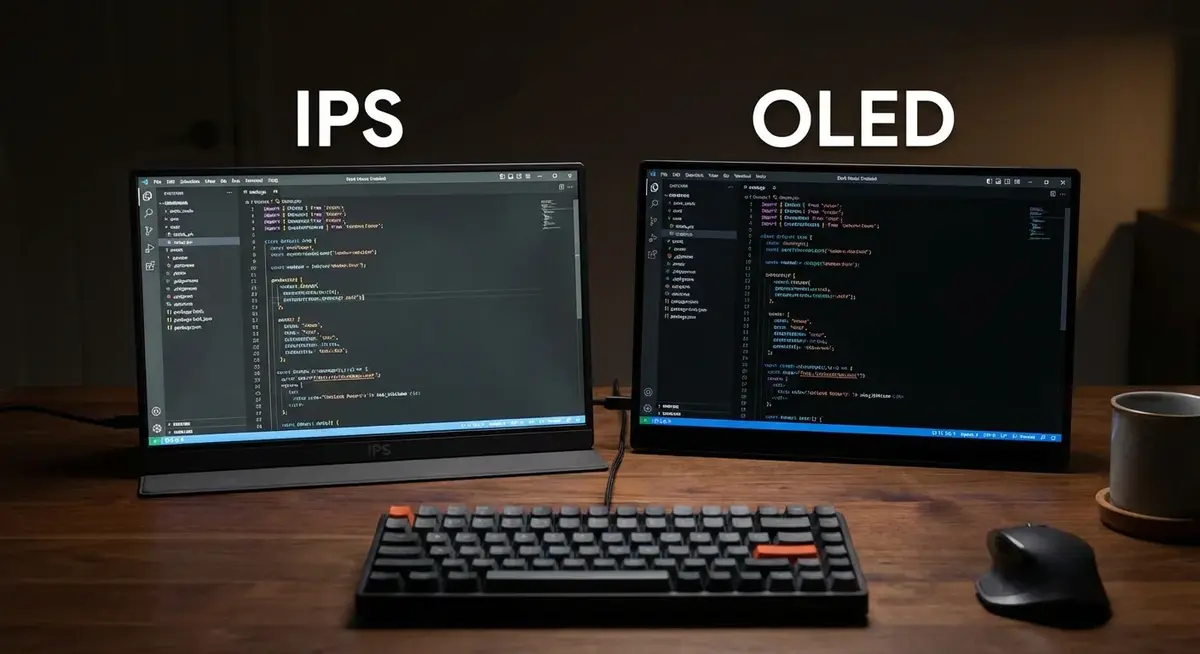
– IPS is the standard. Good color accuracy, wide viewing angles, and affordable. Most portable monitors use IPS panels and they’re perfectly fine for productivity work.
– OLED is the upgrade. True blacks, rich colors, better contrast ratios, and lower power consumption at typical brightness levels. The trade-off is price (roughly 2x IPS) and potential burn-in if you leave static elements on screen for months.
Resolution:
– 1080p (1920×1080) at 15.6 inches is sharp enough for document work, email, and web browsing. Text looks clean. This is the sweet spot for most remote workers.
– 4K (3840×2160) at 15.6 inches is pixel-dense enough to make a meaningful visual difference, especially for photo editing, design work, or anyone who finds themselves zooming in on details. It also gives you more usable screen real estate since you can scale to show more content.
Connectivity:
– USB-C with DisplayPort Alt Mode is the standard in 2026. One cable carries video, power, and data. Your laptop needs to support DP Alt Mode over USB-C (most modern laptops do, but check first).
– Mini HDMI is common as a secondary input. Useful for connecting to older laptops, game consoles, or Raspberry Pis.
– USB-C with power delivery means the monitor can pass power through to your laptop while displaying video. Not all monitors support this.
Weight and thickness: If you’re carrying it daily, every ounce matters. Most 15.6-inch portable monitors weigh between 1.5 and 2.2 pounds. Under 1.7 lbs is genuinely portable. Over 2 lbs starts to feel noticeable in a bag.
Brightness: Measured in nits. 300 nits is fine for indoor use. If you work outside or near bright windows, look for 400+ nits. OLED panels can push 500+ nits in HDR content, which helps in bright environments.
Built-in speakers: Most portable monitors include speakers. Most of them are terrible. Don’t factor speaker quality into your decision. Use headphones or external speakers.
Best Portable Monitors: The Full Breakdown
ASUS ZenScreen OLED MQ16AH — Best Overall
ASUS has dominated the portable monitor market since they basically invented the category with the original ZenScreen. The MQ16AH is their current OLED flagship, and it’s a significant step up from the MB16 IPS series.
Specs:
– 15.6” OLED, 1920×1080
– 100% DCI-P3 color gamut
– 0.1ms response time
– HDR True Black 500
– USB-C (DP Alt Mode + 70W PD passthrough)
– Mini HDMI
– 360g (0.79 lbs) — absurdly light
– 6mm thickness
– Built-in kickstand + smart cover
Price: ASUS ZenScreen OLED MQ16AH — around $370-400
The OLED panel is the real draw here. If you’ve only used IPS portable monitors, the first time you see true blacks on an OLED screen you’ll understand why people pay the premium. Dark mode in your IDE? Black background behind your documents? The pixels literally turn off. It makes every other portable monitor look washed out by comparison.
At 360 grams (under a pound), this is also one of the lightest portable monitors available. ASUS clearly designed this for people who actually travel with it rather than just moving it between rooms at home. The smart cover folds into a stand at multiple angles, so there’s no separate kickstand to lose.
The 70W USB-C passthrough means you can daisy-chain power: wall charger to monitor, monitor to laptop. One fewer cable on the desk.
Who it’s for: Anyone who wants the best visual quality in a portable form factor and doesn’t mind paying for it. Developers, designers, photographers, or just people who spend all day staring at screens and want those screens to look great.
ASUS ZenScreen MB16ACV — Best Budget Option
If the OLED price makes you hesitate, the MB16ACV is the sensible alternative. It’s the workhorse of the ZenScreen lineup and the monitor I’d recommend to most people who just need a second screen for productivity.
Specs:
– 15.6” IPS, 1920×1080
– 250 nits brightness
– USB-C (single cable, video + power)
– Hybrid signal solution (USB-C and USB-A compatible)
– 780g (1.72 lbs)
– 8mm thickness
– Foldable smart cover/stand
– ASUS Eye Care (flicker-free, blue light filter)
Price: ASUS ZenScreen MB16ACV — around $190-220
The MB16ACV does everything a portable monitor needs to do without any frills. The IPS panel has good viewing angles and acceptable color accuracy for office work. It’s not going to impress a photographer, but your spreadsheets and Slack windows will look perfectly fine.
The hybrid signal feature is worth mentioning: if your laptop’s USB-C port doesn’t support DisplayPort Alt Mode, you can connect via USB-A with the included adapter. The monitor uses DisplayLink compression to send video over a standard USB connection. It adds a tiny bit of latency and requires a driver install, but it means this monitor works with basically any laptop made in the last decade.
Build quality is solid ASUS. The hinge mechanism in the smart cover has survived months of daily use in my testing without loosening. It’s not flashy, but it’s reliable.
Who it’s for: Budget-conscious remote workers who want a proven, reliable second screen. The default recommendation for anyone who asks “which portable monitor should I get?” without specifying a use case.
Innocn 15K1F — Best 4K Option
Innocn doesn’t have the brand recognition of ASUS, but they’ve built a reputation in the portable monitor space by offering OLED panels at prices that undercut the big names by $100-200. The 15K1F is their 4K OLED portable monitor, and it punches way above its price.
Specs:
– 15.6” OLED, 3840×2160 (4K UHD)
– 100% DCI-P3
– 1ms response time
– 400 nits typical, 550 nits peak (HDR)
– USB-C (DP Alt Mode + PD passthrough)
– Mini HDMI
– 10-point touch (model dependent)
– 850g (1.87 lbs)
– Built-in stand
Price: Innocn 15K1F 4K OLED — around $330-370
4K at 15.6 inches gives you a pixel density of 282 PPI. For context, a 27-inch 4K monitor is 163 PPI. That density means text rendering is crisp to the point where you forget you’re looking at pixels. Scaled to 150% (which most people will use), you get the sharpness of 4K with the usable space of approximately 2560×1440. That’s more real estate than a 1080p monitor while looking dramatically sharper.
Multiple tech reviewers on YouTube have put the Innocn OLED panels up against ASUS and other premium brands, and the color accuracy out of the box competes with monitors costing $200 more. Panel uniformity and black levels are legit OLED quality.
The build quality doesn’t match ASUS. The stand is functional but feels cheaper, and the bezels are thicker. If you’re picking based on aesthetics and build feel, the ASUS wins. If you’re picking based on panel quality per dollar, the Innocn wins.
Who it’s for: Designers, photographers, video editors, or anyone who needs high resolution and accurate colors while traveling. Also great for developers who want more screen real estate through scaling.
Espresso Display V2 — Best Touchscreen
Espresso took a different approach with their portable monitors, treating them as premium gear instead of cheap accessories. The V2 is a well-built touchscreen monitor with a magnetic mounting system that actually works well.
Specs:
– 15.6” IPS, 1920×1080 (also available in 13.3”)
– 300 nits brightness
– 10-point capacitive touch
– USB-C (video + touch + power, single cable)
– Magnetic mount system (MountGo)
– 850g (1.87 lbs)
– 5.3mm thickness
– Aluminum unibody construction
Price: Espresso Display V2 15” — around $330-370
The touchscreen on the Espresso is noticeably more responsive than the touch implementations on cheaper monitors. There’s minimal lag between your finger and the on-screen response, which matters when you’re using touch for navigation, drawing, or pointing during presentations.
The magnetic mount system (sold separately but included with some bundles) lets you attach the display to a metal stand at different angles, or snap a magnetic case onto the back. It’s a more elegant solution than the flimsy kickstands that ship with most portable monitors. The aluminum build also means it looks and feels like something Apple would make, which matters if you’re pulling it out in client meetings or co-working spaces.
Touch input works natively on Windows (full touch support) and macOS (basic gestures, no full touch support because that’s macOS being macOS). On iPadOS via USB-C, it works as an external display with touch in supported apps.
Who it’s for: Presenters, designers who sketch, anyone who values build quality and aesthetics, and Windows users who want full touch integration. Also solid for digital signage or point-of-sale if you need a portable interactive display.
ViewSonic VG1655 — Best Battery-Powered
Most portable monitors draw power from your laptop via USB-C. That’s fine when you’re at a desk, but it drains your laptop battery faster when you’re on a plane, in a coffee shop, or working from your RV without shore power. The ViewSonic VG1655 has a built-in battery that solves this.
Specs:
– 15.6” IPS, 1920×1080
– 250 nits brightness
– Built-in 7800mAh battery (~4-6 hours runtime)
– 2x USB-C, Mini HDMI
– 60W USB-C PD passthrough
– 935g (2.06 lbs)
– 14.9mm thickness (thicker due to battery)
– Built-in stand, VESA 75mm mount option
Price: ViewSonic VG1655 — around $220-250
The battery gives you 4-6 hours depending on brightness. At 50% brightness (comfortable for indoor use), expect closer to 5 hours. That’s enough for a full morning work session without pulling any power from your laptop. Charge the monitor overnight, and it’s ready for the next day.
The tradeoff is weight and thickness. At 2 lbs and nearly 15mm thick, this is noticeably heavier and bulkier than the ASUS or Innocn options. You feel the extra weight in a backpack. But if power independence matters, this is the trade you make.
ViewSonic also includes a VESA mount option, which is unusual for portable monitors. If you want to stick it on a small monitor arm at a temporary workspace, you can. Nice to have that option.
Who it’s for: Digital nomads, RV workers, frequent flyers, coffee shop regulars, and anyone who works in places where power outlets aren’t guaranteed. If you travel a lot and your laptop battery is already under stress from real work, an independently powered monitor makes a practical difference.
UPERFECT 18.5” Portable Monitor — Best Large Screen
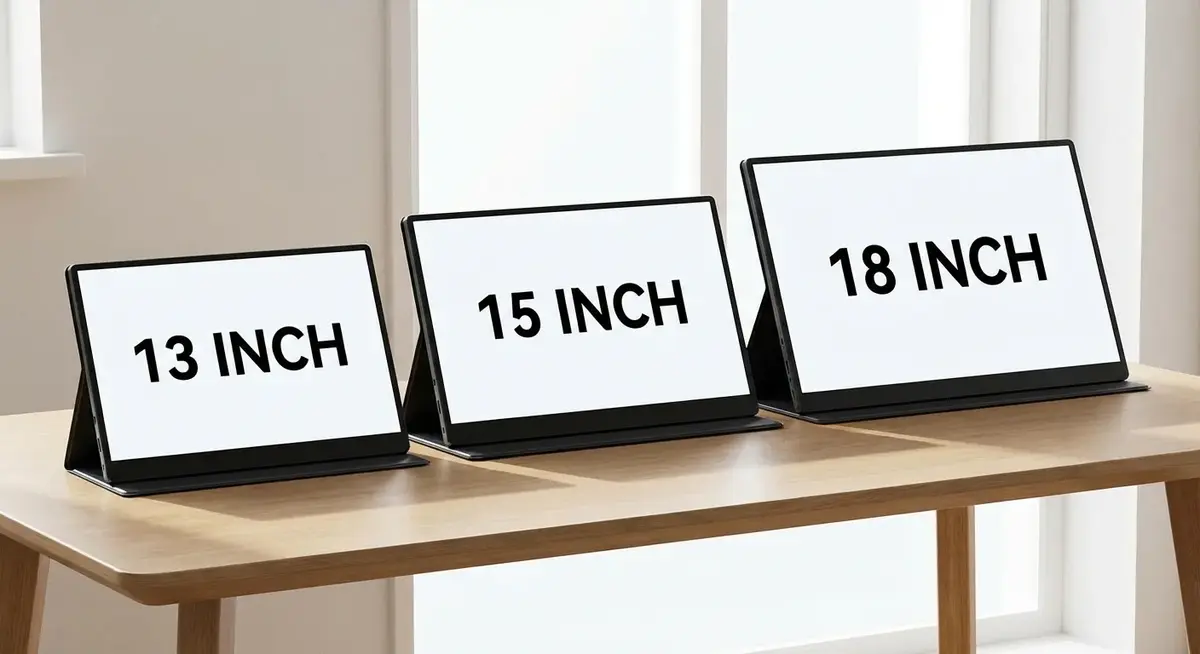
15.6 inches is the standard portable monitor size because it matches common laptop screens. But if portability means “I move it between my home office and the kitchen table” rather than “I carry it through airports,” an 18.5-inch screen offers meaningfully more workspace.
Specs:
– 18.5” IPS, 1920×1080 (also available in 2K)
– 300 nits brightness
– 100% sRGB
– USB-C (DP Alt Mode), Mini HDMI
– Built-in speakers
– 1.2kg (2.6 lbs)
– Kickstand with adjustable angle
– VESA 75mm mount compatible
Price: UPERFECT 18.5” Portable Monitor — around $230-260
The extra 3 inches compared to a standard 15.6” portable monitor gives you roughly 40% more screen area. At 1080p, the pixel density is lower (about 119 PPI vs 141 PPI on 15.6”), so text isn’t quite as crisp if you sit very close. At normal viewing distance (arm’s length), it looks fine.
UPERFECT doesn’t have the brand recognition of ASUS or ViewSonic, but they’ve been in the portable monitor game for years and the build quality is decent for the price. The kickstand is more stable than the fold-out covers on smaller monitors, partly because the larger base gives it better balance.
Who it’s for: People who want portable-sized pricing without portable-sized limitations. Great for home-based remote workers who move between rooms, RV workers with a dedicated desk space, or anyone who finds 15.6 inches too cramped but doesn’t want to invest in a full desktop monitor.
USB-C Compatibility: The One Thing That Trips People Up
Here’s the situation that catches people: they buy a USB-C portable monitor, plug it into their laptop, and nothing happens. The screen stays black. They think the monitor is defective. It’s not.
USB-C is a connector shape, not a single standard. Your USB-C port needs to support DisplayPort Alternate Mode (DP Alt Mode) to send video to an external display. Many laptops made before 2020 have USB-C ports that only carry data and power, not video.
How to check:
– Thunderbolt 3/4 ports always support DP Alt Mode. If you see a lightning bolt symbol next to your USB-C port, you’re good.
– USB-C ports with a display icon (a rectangle with lines) support video output.
– Plain USB-C ports might or might not support video. Check your laptop’s spec sheet.
If your laptop doesn’t support DP Alt Mode, you have two options:
1. Use a portable monitor with HDMI input (most include mini-HDMI) and a USB-C to HDMI adapter
2. Use a DisplayLink-compatible monitor (like the ASUS MB16ACV) that sends video over standard USB using compression
Setting Up for Productivity
A portable monitor is most useful when your operating system treats it as a proper extended display. A few settings worth adjusting:
Windows: Settings > Display > Rearrange your displays. Drag the monitors to match their physical position. Set the portable monitor as “Extend desktop” rather than “Duplicate.”
macOS: System Settings > Displays > Arrangement. Drag the displays to match. Uncheck “Mirror Displays.” Consider using a window management tool like Rectangle (free) or Magnet to snap windows into predefined layouts across both screens.
Linux: Most desktop environments handle external displays through their display settings. KDE and GNOME both support multi-monitor layouts natively. Wayland users may need to configure through their compositor.
Pro tip: Set up different “profiles” for with and without the external monitor. Tools like DisplayFusion (Windows) or BetterDisplay (macOS) can save and restore window layouts automatically when you connect or disconnect the portable monitor.
What I Actually Use
I travel with the ASUS ZenScreen OLED. The weight savings are real when you’re carrying a laptop, monitor, charger, mouse, and cables in a single bag. The OLED panel makes working in dim hotel rooms and RVs easier because the black levels reduce overall screen glare. And the USB-C single-cable setup means I’m up and running in under 30 seconds at any workspace.
For home-based remote work where I’m just moving between rooms, I’d grab the UPERFECT 18.5” or skip portable entirely and use a proper 27-inch desktop monitor. Portable monitors solve one problem: not having enough screen space when you’re away from your desk. If you’re always at a desk, just buy a real monitor.
Prices checked March 2026. Amazon affiliate links help support the site at no extra cost to you.