
Three years into Matter, two years into Thread, and the smart home is still a confusing mess for anyone trying to pick a platform. The promise was simple: buy any device, connect it to any hub, and everything just works. The reality in 2026 is closer to that promise than it’s ever been, but your choice of hub still shapes what your smart home can and can’t do.
I’ve been running Home Assistant for over two years now and have tested SmartThings and Apple Home setups for friends and family. Here’s my honest breakdown of where each platform stands today, who each one is actually built for, and what you should buy depending on your tolerance for tinkering.
Quick Picks
| Category | Winner | Why |
|---|---|---|
| Best Overall | Home Assistant | Nothing else comes close on power and flexibility |
| Best for Non-Technical Users | SmartThings | Clean app, wide compatibility, almost zero setup friction |
| Best for Apple Households | Apple Home | Tight Siri/iPhone integration that third parties can’t replicate |
| Best for Automation Nerds | Home Assistant | Automations so complex you’ll scare your family |
| Best Matter Support | Home Assistant | First to implement new Matter device categories |
| Best Device Compatibility | Home Assistant | 2,800+ integrations and counting |
The Big Three: Platform Overview
Before getting into the weeds, here’s what each platform fundamentally is in 2026.
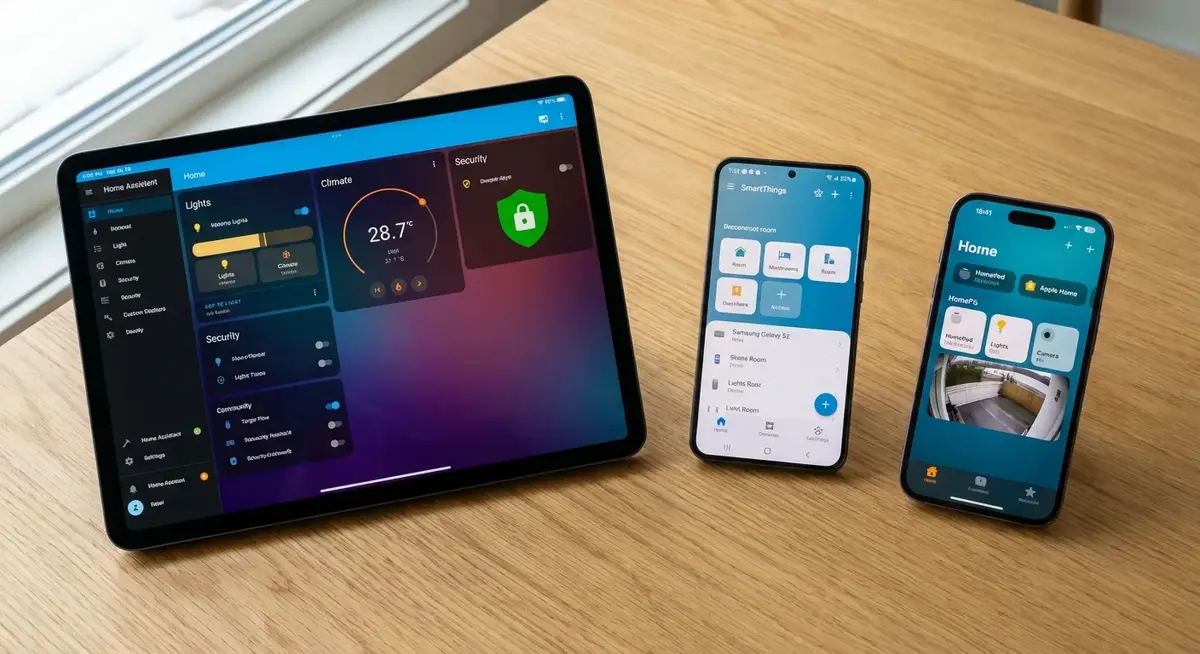
Home Assistant is an open-source home automation platform that runs on local hardware you own. It connects to basically everything, runs entirely on your local network (no cloud dependency), and has an automation engine that can handle logic complex enough to make a software engineer happy. The trade-off is setup complexity. It’s gotten dramatically easier since 2023, but “easier” is relative.
Samsung SmartThings is Samsung’s cloud-connected smart home platform. The current generation uses the SmartThings Station or Aeotec hubs, runs through Samsung’s cloud, and works through a polished mobile app. It handles Matter and Thread natively and plays nice with Samsung appliances and TVs. It’s the most balanced option between capability and ease of use.
Apple Home is Apple’s HomeKit ecosystem, controlled through the Home app on iPhone, iPad, Mac, and Apple Watch. It requires an Apple TV 4K or HomePod (mini or full-size) as a hub. Everything runs locally through your Apple hardware. The device selection is more limited than the other platforms, but what works tends to work really well.
Setup Difficulty
This is where most people make their decision, honestly.
Home Assistant: Medium to Hard
Home Assistant runs on a Raspberry Pi 5, a mini PC, or a dedicated device like the Home Assistant Green (around $99). The Green is the easiest path. Plug in power, plug in Ethernet, and the onboarding wizard walks you through initial setup. You’ll be adding devices within 15 minutes.
Where it gets harder: anything beyond basic device control. Setting up custom dashboards, writing YAML automations, configuring add-ons like Zigbee2MQTT, or integrating devices that don’t have native support requires reading documentation and occasionally troubleshooting config files. The Home Assistant community forums are extremely active and helpful, but you will spend time there.
The Home Assistant team has invested heavily in making the UI more accessible since 2024. The visual automation editor handles 80% of what most people need without touching code. But that remaining 20% still requires comfort with technical tools.
Hardware cost to get started: $99 (Home Assistant Green) or $80-120 (Raspberry Pi 5 + case + power supply)
SmartThings: Easy
Buy a SmartThings Station (around $45) or an Aeotec SmartThings Hub v3 (around $130). Plug it in, open the SmartThings app, and start adding devices. The app handles everything through guided setup flows. Adding a Zigbee sensor is literally “tap add, wait for discovery, name it, pick a room.”
SmartThings Routines (their automation system) use a simple if-this-then-that interface that anyone who’s used a smartphone can figure out. “If motion detected in hallway after sunset, turn on hallway light at 50% for 5 minutes.” Done.
The Station doubles as a wireless phone charger, which is a nice touch. The Aeotec hub has a better Zigbee/Z-Wave radio if you have a larger home or lots of devices.
Hardware cost to get started: $45 (SmartThings Station)
Apple Home: Easy (If You Already Own Apple Stuff)
You need an Apple TV 4K or HomePod as your hub. If you already have one, there’s nothing extra to buy. Open the Home app on your iPhone, scan the HomeKit/Matter code on your device, and you’re done.
Apple Home is the least setup-intensive option, period. But it’s also the most limited in what it can do once you’re past basic control. If you’re an iPhone household that just wants lights, locks, thermostats, and cameras to work reliably through Siri, Apple Home does that with minimal effort.
Hardware cost to get started: $129 (Apple TV 4K) or $99 (HomePod Mini), assuming you already own an iPhone
Hub options:
– Apple TV 4K — $129
– Apple HomePod Mini — $99
Device Compatibility
This used to be the single biggest differentiator between platforms. Matter has narrowed the gap, but it hasn’t closed it.
Home Assistant: 2,800+ Integrations
Home Assistant connects to almost anything that has an API, a radio protocol, or a network connection. The official integration list is staggering: Philips Hue, Sonos, Ring, Nest, Ecobee, Lutron, IKEA, Xiaomi, Tuya, Shelly, Govee, Nanoleaf, Roomba, Tesla, Withings, and thousands more. Plus HACS (Home Assistant Community Store) adds hundreds of community-built integrations for more niche devices.
On the protocol side, Home Assistant supports Zigbee (via ZHA or Zigbee2MQTT), Z-Wave (via Z-Wave JS), Matter, Thread, Bluetooth, WiFi, and basically any other smart home protocol that exists. You need a USB coordinator for Zigbee and Z-Wave. The SONOFF Zigbee 3.0 USB Dongle Plus (around $30) and Zooz ZST39 Z-Wave Stick (around $35) are the current community favorites.
The bottom line: If a device exists, Home Assistant probably supports it. If it doesn’t yet, someone is working on an integration.
SmartThings: Broad but Cloud-Dependent
SmartThings supports Matter, Thread, Zigbee, Z-Wave, and WiFi devices. The compatible device list is large and covers all the major brands. Samsung’s own ecosystem (TVs, appliances, Galaxy phones) gets the deepest integration.
The difference from Home Assistant: most SmartThings integrations depend on Samsung’s cloud. If Samsung’s servers go down, your automations stop. This has happened a few times over the years, and it’s a fundamental architecture decision you either accept or don’t.
SmartThings Edge Drivers (local execution on the hub) have improved local processing significantly since 2023, but cloud dependency hasn’t been fully eliminated for all device types.
Apple Home: Matter/HomeKit Only
Apple Home supports HomeKit-certified devices and Matter devices. That’s it. No Zigbee, no Z-Wave (without a bridge), no community integrations. Every device needs to be explicitly designed or certified for HomeKit or Matter compatibility.
That limitation has an upside, though. Every device that works with Apple Home has been vetted to some degree. You won’t run into compatibility issues, broken integrations, or devices that sort of work. If it shows up in the Home app, it works properly.
The downside is real, though. Plenty of excellent smart home devices don’t support HomeKit. Some of the best Zigbee sensors, many affordable smart plugs, and most DIY-friendly hardware won’t work without a bridge like Home Assistant running alongside Apple Home (which many people do).
Comparison Table: Features Head to Head
| Feature | Home Assistant | SmartThings | Apple Home |
|---|---|---|---|
| Price (hub) | $80-130 | $45-130 | $99-129 |
| Local processing | Full | Partial | Full |
| Cloud dependency | None | High | None |
| Matter support | Full | Full | Full |
| Thread border router | Yes (with hardware) | Yes (Station) | Yes (Apple TV/HomePod) |
| Zigbee | Yes (USB dongle) | Built-in | No (needs bridge) |
| Z-Wave | Yes (USB dongle) | Built-in (Aeotec hub) | No |
| Voice assistants | Alexa, Google, Siri (via bridge) | Alexa, Google, Bixby | Siri |
| Mobile app | Good (improved a lot) | Very good | Excellent (native iOS) |
| Automation power | Extremely powerful | Moderate | Basic |
| Custom dashboards | Fully customizable | Limited | No |
| Open source | Yes | No | No |
| Multi-user | Yes | Yes | Yes (Apple Family) |
| Remote access | Nabu Casa ($6.50/mo) or VPN | Free (cloud) | Free (iCloud) |
| Camera support | Extensive (Frigate, etc.) | Good | HomeKit Secure Video |
Automation Power
This is where the platforms diverge the most, and where your choice has the biggest long-term impact.
Home Assistant: Unlimited
Home Assistant’s automation engine supports conditions, triggers, actions, templates, scripts, scenes, and blueprints. You can trigger automations based on time, state changes, numeric thresholds, sun position, zone entry/exit, webhook calls, MQTT messages, calendar events, and more.
Real example from my setup: “If the garage door opens between 5 PM and 7 PM on a weekday, and my phone’s GPS shows I just entered the home zone, turn on the kitchen lights to 75%, set the thermostat to 72, start playing my evening playlist on the living room speaker, and send a notification to my wife’s phone that I’m home.” That’s one automation. It runs locally, in under a second.
The visual automation editor handles this without code. For even more complex logic, you can drop into YAML or use Node-RED (a visual flow-based programming tool that integrates with Home Assistant).
The Hook Up on YouTube regularly demonstrates advanced Home Assistant automations, and his tutorials on blueprint sharing have helped standardize community automation patterns. Everything Smart Home’s channel focuses more on the hardware side but covers automation setup for specific devices thoroughly.
SmartThings: Solid for Most People
SmartThings Routines cover the basics well: time-based triggers, device state triggers, location-based triggers, and multiple actions per routine. For most households, this is more than enough. “Turn off all lights when everyone leaves” and “arm the alarm system at 11 PM” work perfectly.
Where SmartThings hits walls: complex conditional logic, templated notifications, multi-step sequences with waits, and cross-platform triggers. You can’t easily say “if the washing machine power drops below 5W for 10 minutes AND nobody is in the laundry room, send a notification.” Home Assistant handles that natively.
Apple Home: Basic
Apple Home automations are simple: trigger, optional condition, actions. A device state change or time of day triggers an action like turning on a light or running a scene. You can add conditions like “only when I’m home” or “only after sunset.” That covers the most common use cases.
Anything beyond that requires the Shortcuts app, which can get creative but isn’t really designed for home automation logic. Apple’s approach is clearly “keep it simple, make it reliable” rather than “let power users build whatever they want.”
Matter and Thread: The Unifying Protocols
Matter is the industry standard connectivity protocol backed by Apple, Google, Amazon, and Samsung (among 550+ other companies). Thread is the underlying mesh networking protocol that many Matter devices use for communication.
In practical terms for 2026:
Matter works across all three platforms. A Matter-certified light bulb can be added to Home Assistant, SmartThings, or Apple Home. Multi-admin support means a single device can be controlled by multiple platforms simultaneously.
Thread is the preferred radio for new Matter devices. Thread-based devices form a mesh network that gets more reliable as you add more devices. Your Apple TV, HomePod, SmartThings Station, and many smart home devices act as Thread border routers, extending the mesh automatically.
The reality check: Matter covers lights, plugs, switches, locks, thermostats, blinds, and sensors. More complex device categories (cameras, robot vacuums, appliances) are still being added to the specification. If your smart home relies heavily on cameras or specialized devices, you’ll still need platform-specific integrations for some things.
Home Assistant tends to implement new Matter device categories fastest because updates ship continuously rather than waiting for platform release cycles. If being on the cutting edge matters to you, that’s relevant.
Cost Comparison (Full Setup)
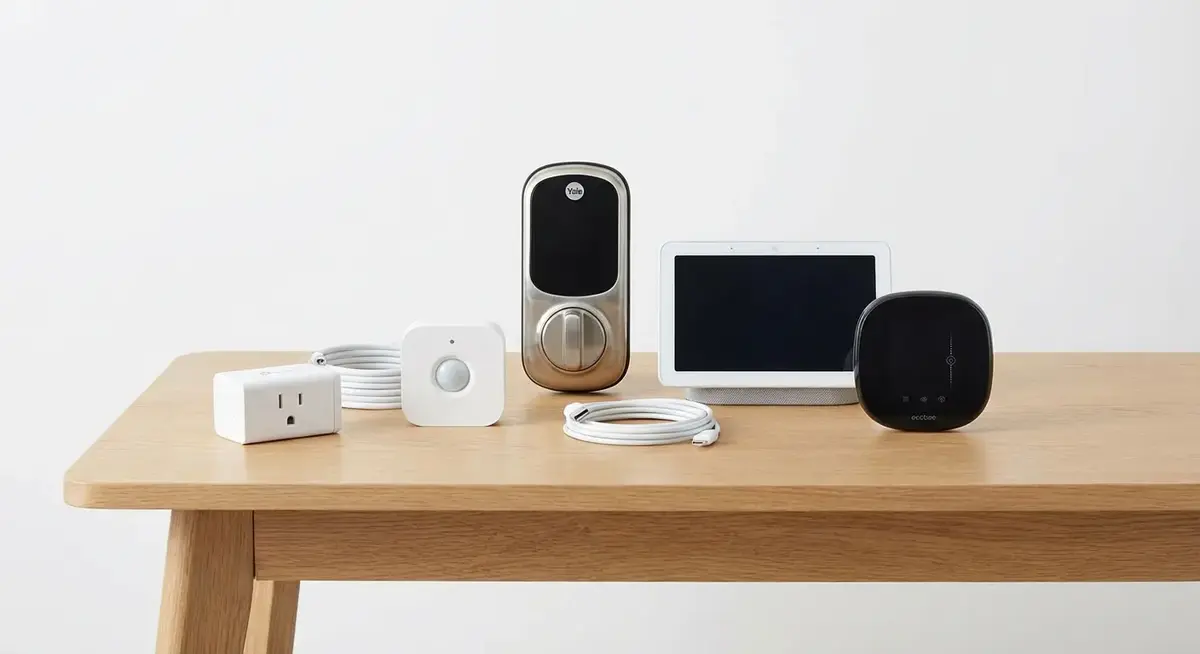
Let’s price out a basic smart home setup on each platform: hub, 10 smart lights, 2 motion sensors, a smart lock, and a thermostat.
| Component | Home Assistant | SmartThings | Apple Home |
|---|---|---|---|
| Hub | $99 (HA Green) | $45 (Station) | $129 (Apple TV 4K) |
| Zigbee dongle | $30 | Included | N/A |
| 10x Smart bulbs | $80 (IKEA Zigbee) | $80 (IKEA Zigbee) | $200 (Nanoleaf Matter) |
| 2x Motion sensors | $30 (Aqara Zigbee) | $30 (Aqara Zigbee) | $60 (Eve Motion) |
| Smart lock | $200 (August WiFi) | $200 (August WiFi) | $250 (Level Lock+) |
| Thermostat | $130 (Ecobee) | $130 (Ecobee) | $130 (Ecobee) |
| Remote access | $6.50/mo (Nabu Casa) | Free | Free |
| Total Year 1 | $647 | $485 | $769 |
Apple Home is the most expensive because HomeKit/Matter-certified devices tend to carry a price premium. Home Assistant is middle-ground upfront but has the ongoing Nabu Casa cost (which is optional if you set up your own VPN or Cloudflare tunnel). SmartThings wins on initial cost.
Who Should Pick What
Pick Home Assistant if:
- You enjoy tinkering and learning new tech
- Local control and privacy matter to you (no cloud dependency)
- You want automations that go beyond basic triggers
- You have mixed ecosystems (some Zigbee, some WiFi, some Matter)
- You plan to grow your smart home significantly over time
- You watch channels like The Hook Up and Everything Smart Home and think “I want to build that”
The Home Assistant Green with a SkyConnect USB dongle ($30, adds Zigbee + Thread) is the smoothest starting point.
Pick SmartThings if:
- You want something that works well without deep configuration
- You have Samsung devices (TVs, appliances, Galaxy phones)
- Cloud dependency doesn’t bother you
- Your automation needs are moderate (time-based, presence-based)
- You want Zigbee and Z-Wave built into the hub without USB dongles
- Multiple family members need to control things and they’re not all technical
The SmartThings Station is the cheapest way to start. Upgrade to the Aeotec Hub if you need Z-Wave or have a larger home.
Pick Apple Home if:
- Everyone in your house uses iPhones
- You value simplicity over capability
- Siri integration is important to you
- You want HomeKit Secure Video (on-device camera processing)
- Your smart home ambitions are modest (lights, locks, thermostat, cameras)
- You already own an Apple TV 4K or HomePod
The Hybrid Approach (What Power Users Actually Do)
The most capable smart home setup in 2026: run Home Assistant as your brain and expose devices to Apple Home or Google Home through Matter. This gives you Home Assistant’s automation engine and device compatibility with Apple Home’s Siri integration or Google Home’s voice control.
Home Assistant’s Matter integration lets it act as a Matter bridge, exposing your HA devices as Matter accessories that Apple Home and Google Home can discover. This means your Zigbee motion sensor that Apple Home can’t see natively shows up in the Home app through HA. Best of both worlds.
Everything Smart Home covered this hybrid setup in detail, and it’s how most power users run their homes now.
The Verdict
Home Assistant wins for anyone willing to invest the time to learn it. The gap between HA and everything else has only grown over the past two years. The 2024 and 2025 releases brought real improvements to the mobile app, voice control, and onboarding.
That said, if you hand your non-technical parents a Home Assistant setup, you’re signing up to be their tech support forever. SmartThings or Apple Home will make their lives easier and yours less stressful.
Start with what matches your skill level and interest. You can always migrate later, and Matter is making platform switching less painful than it used to be.

Prices checked March 2026. Amazon affiliate links help support the site at no extra cost to you.